Insomnia Quick Start — Cheat Sheet
An evergreen reference for testing your API with Insomnia. First taught in API Lesson 1; used to verify every endpoint for the rest of the pass. Insomnia lets you send HTTP requests and inspect responses without building a front end — so you can prove your API works the moment you write it.
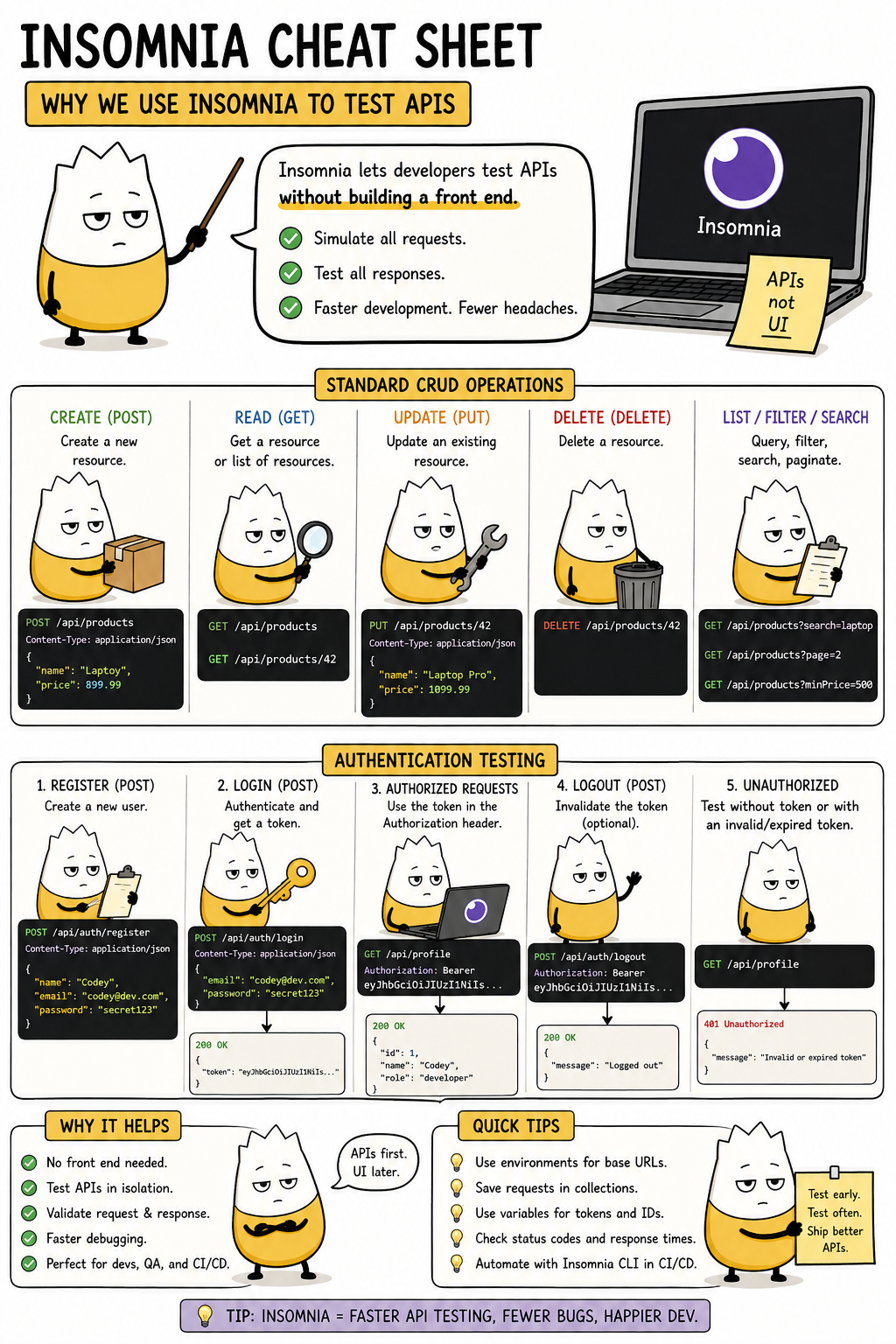
One caveat for this course: the sheet above has an "Authentication Testing" section showing register → get a token → send
Authorization: Bearer …. This course has no JWT and no tokens. Login just verifies a username/password and returns the user object; every endpoint is open, so you never attach anAuthorizationheader and never get a401. Use the CRUD half of the sheet — ignore the token/auth half.
What Insomnia does
It's a desktop app for sending HTTP requests. You pick a verb and URL, add a body if needed, hit Send, and read the status code and response body. That's the whole loop — the same request/response a browser or your React app makes, but on demand and easy to inspect.
The five things you'll do map straight to CRUD:
| In Insomnia | Verb | Example |
|---|---|---|
| Create | POST |
POST /api/menuitems with a JSON body |
| Read | GET |
GET /api/menuitems or GET /api/menuitems/5 |
| Update | PUT |
PUT /api/menuitems/5 with a JSON body |
| Delete | DELETE |
DELETE /api/menuitems/5 |
| List / filter | GET |
GET /api/orders?status=PLACED |
Set-up (once)
- Install Insomnia from insomnia.rest and open it.
- Import the collection —
File → Import, choose the providedtableserve-insomnia.json. The TableServe collection appears with a folder per entity (Auth, Staff, Categories, MenuItems, Orders, OrderItems). - Set
baseUrl— run your API in Visual Studio (F5), note the port (e.g.https://localhost:7234), then in Insomnia set thebaseUrlenvironment variable to that address. Every request uses{{ baseUrl }}so you only set the port once.
No login required first. Because every endpoint is open, you don't have to run Login before anything else — the requests work regardless. Login is just there to confirm your credentials and show the shape of a user object.
Anatomy of a request in Insomnia
- Method dropdown — GET / POST / PUT / DELETE.
- URL bar — e.g.
{{ baseUrl }}/api/staff/5. - Body tab — for POST/PUT, choose JSON and type the object. Insomnia sets the
Content-Type: application/jsonheader for you. - Send — fires the request.
Reading the response
- Status code (top of the response panel) — check it first:
200/201/204= success,400/404= your request,500= the server. (See the HTTP & status codes cheat sheet.) - Body — the JSON returned.
- Tests tab — the provided requests have after-response tests. Green = pass, red = fail. A wall of green means your API matches the contract. If one is red, the panel shows expected vs. received — open that controller and compare.
Connection error? The API stopped running — press F5 again and confirm the port
matches your baseUrl. (There's no auth, so there's no 401 to chase.)
Learn more
- Insomnia docs — the official documentation.
- HTTP, REST, JSON & Status Codes cheat sheet — what the verbs and status codes mean.