Lesson 1 Lab — Style a Staff Card by hand
Build a TableServe Staff card in plain HTML and CSS — same tools as the guide (two
files, no framework), a different entity. A Staff card is an identity block just like
the Menu Item card, so the same box-model and display techniques apply. Refer back
to the guide for the card, box model, and display details.
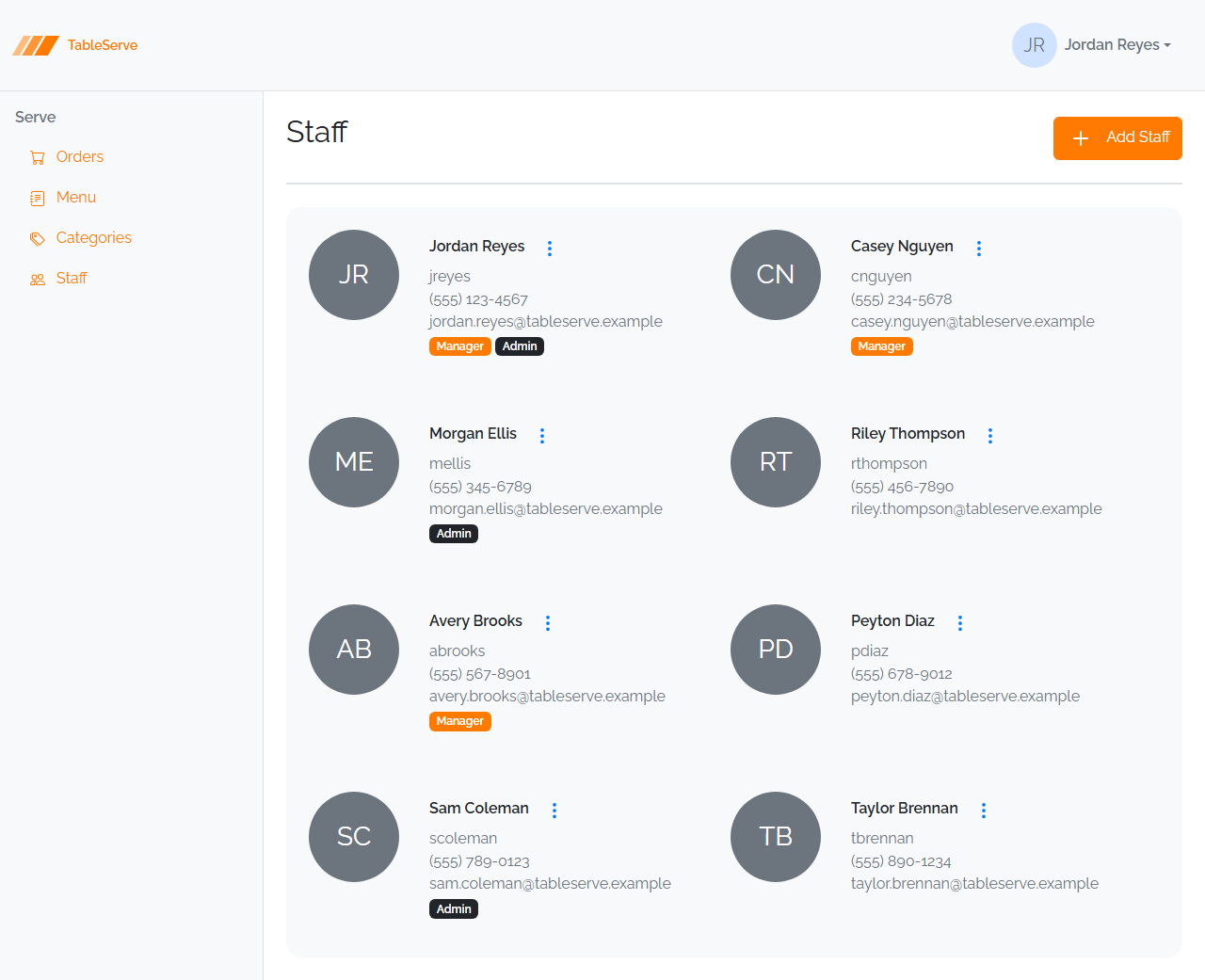
Here's the end goal — the finished TableServe Staff page. You're hand-building one card from this grid; you'll rebuild it with Bootstrap in Lesson 4 and assemble the full wrapping grid then.
The Staff record
A staff member has: First Name, Last Name, Username, Phone, Email, and a role (Manager, Admin, or neither). Pick one staff member and hardcode their values — e.g. Jordan Reyes, jreyes, (555) 123-4567, jordan@tableserve.test, Manager.
Steps
- In your
css-fundamentals/folder, createstaff-card.html(Emmet!+ Tab, thenlink:css) and (reuse or create) astaff.css, linked from the HTML<head>. Open it with Live Server. - Add
* { box-sizing: border-box; }and a littlebodypadding to the CSS. - Mark up the card with a
<div class="card">(Emmet: typediv.card+ Tab) holding: - a
.namespan — first + last name .username,.phone,.emailspans — the contact lines- a
.badgespan — the role (e.g. "Manager") - Style
.cardas a box: a fixedwidth(~22rem),padding,border,border-radius, and a softbox-shadow. - Make
.namea block span, larger and heavier (font-size,font-weight). - Make the contact spans block and muted (
color: #6c757d, smallerfont-size); add a smallmargin-bottombetween lines. - Make
.badgean inline-block pill —padding, abackground-color, a textcolor, andborder-radius(use a distinct color from the Menu badge, e.g. a green for Manager).
Verify in the browser
Browser checks work the same as the guide — section 9. With staff-card.html open in
Live Server:
- Confirm the card renders as a bordered, rounded, padded box with the name on top, muted contact lines stacked below, and a colored role pill.
- Open DevTools (F12) → Elements, select
.card, and read the box-model overlay — confirm yourpaddingandmarginvalues match the CSS. - Select
.badgeand confirm it'sinline-block(itswidthhugs the text and its padding renders). - Check the Console for a failed stylesheet load if nothing is styled.
Same box-model card, a different entity — exactly the muscle you'll reuse when you rebuild these cards with Bootstrap in Lesson 4, and again on PRS's Users cards in the capstone.
Stretch challenges
Optional — for when you finish early. Not needed for the capstone. [Reinforce] builds on what you just did; [Reach] goes past the guide and needs some research.
- Two role badges — [Reinforce] — for a staff member who is both Manager and
Admin, render two
.badgepills side by side. Because they'reinline-block, they'll sit next to each other — add a smallmargin-rightso they don't touch. - Hover lift — [Reinforce] — add a
.card:hoverrule that deepens thebox-shadow(and optionally nudges the card up withmargin-top), so the card reacts to the mouse. Reload and hover to confirm. - A card of your own restaurant's staff — [Reinforce] — duplicate the card and fill it with a real (or made-up) coworker, proving you can reproduce the structure from memory.
- Avatar circle with initials — [Reach] — add a circular avatar showing the
member's initials (e.g. "JR") at the top of the card. A circle is just a box with
equal
width/heightandborder-radius: 50%, with the initials centered inside. This pattern isn't spelled out on purpose — you'll want it again on PRS's Users cards. Reference: border-radius (MDN).
Finished these and want more? See stretch-html-css-challenges.md for bigger challenges that span the whole HTML/CSS pass.